Logo Paintit.ai
Paintit.ai Hero Background Living Room with landscape view
Paintit.ai Hero Background Modern Liviing Room Interior with Chair

Design any interior

Welcome to Paintit.ai, your all-in-one design solution to reimagine interiors, exteriors and commercial spaces with AI.

Add photo

Start with an image, preset or prompt — redesign, repaint or stage like a pro.

Empty roomHero mini preview 1
Chill spaceHero mini preview 2
Living roomHero mini preview 3
BedroomHero mini preview 3
See Your New Interior

Take a quick quiz and let AI design your space. Unlock the full result in the app.

Try Popular Styles 

Modern
Modern

38%

Popular

18K

Generated

Loft
Loft

24%

Chosen

12K

Generated

Minimalist
Minimalist

21%

Preferred

15K

Generated

Japanese
JapaneseTrending

Top Trend Style

Japanese-inspired design

Shop your design 

Our AI recommends products for your design and shows where to buy them locally.

Furniture hero image
Furniture producer logo

Lounge Chair

$1 200.00

Furniture hero image
Furniture producer logo

Sectional Sofa

$2 800.00

Furniture hero image
Furniture producer logo

Coffee Table

$850.00

Furniture hero image
Furniture producer logo

Media Console

$1 100.00

A Faster Way to Design with AI 

Paintit is an AI design tool for home and beyond. Generate options fast, explore directions and fine-tune colors, materials and furniture in a few clicks. Works for interiors, exteriors and commercial spaces — so you can decide faster and move forward.

1

Upload or Start Fresh 

Design flow slide image

Start from a blank canvas or bring your own image. Paintit uses AI to understand your project — layout, scale, lighting and key elements — so you can generate design options fast for interiors, exteriors or commercial spaces.

buildUpload or start slide image 1
stageUpload or start slide image 2
decorUpload or start slide image 3
InteriorsUpload or start slide image 4
+

Add preset here

Describe what you want to design or change…

2

Pick a Style Like a Track 

Design flow slide image

Browse style directions and curated sets, then preview them instantly on your project. Compare looks side by side and choose a direction you want to refine — without getting stuck in endless searching.

Pick a style slide image 1Loft
Pick a style slide image 1Minimalist
Pick a style slide image 1Modern
Pick a style slide image 1Japanese
Pick a style slide image 1Skandi
3

Adjust on the Fly 

Design flow slide image

Fine-tune the result in a few clicks: change colors, materials, furniture and decor. Iterate quickly until it feels right — AI updates the design as you refine the details.

Material & Color

Pick a style slide image 1Pick a style slide image 1Pick a style slide image 1
4

Save & Share 

Design flow slide image

Save your designs, keep versions and share a link when you’re ready. Show it to friends, clients or a contractor — or keep it private and decide later.

Pricing 

Start with a free AI interior design tool,then upgrade for more credits, higher-resolution exports, private mode and commercial usage. Built for fast AI design — interior, exterior and commercial.

Free

Credits: 30

$0.00

  • AI design generations
  • 1K exports
  • AI chat guidance
  • Suggested prompts
  • Browse styles & ideas
  • Real furniture recommendations

Weekly

Credits: 300

$6.99$13.99

-50%

Per Week

No hidden fees, 3-days money-back guarantee

Cancel anytime

  • Everything in Free, plus:
  • 2K exports
  • Private mode
  • Watermark-free
  • Token top-ups

Monthly

Credits: 1 500

$24.99$49.99

-50%

Per Month

No hidden fees, 7-days money-back guarantee

Cancel anytime

  • Everything in Weekly, plus:
  • 4K exports
  • Commercial usage license
  • Discounted token top-ups

AI Interior Design ToolUse cases

See what Paintit can do in seconds — from quick interior updates to exterior makeovers. Pick a use case, preview options and keep refining until it looks right.

Full Redesign old
Full Redesign new

Full Redesign

Scandinavian Bedroom Redesign

Completely transform my bedroom into a cozy Scandinavian retreat.

Repaint old
Repaint new

Repaint

Olive Green Wall Repaint

Repaint my bedroom's walls in olive green color.

Empty Room Setup old
Empty Room Setup new

Empty Room Setup

Minimal Modern Room Setup

Furnish an empty room with minimal essentials for a sleek, modern vibe.

Exterior old
Exterior new

Exterior

Urban Modern Gray Exterior

Redesign exterior in Urban Modern Gray with cedar porch accent.

Furniture Removal old
Furniture Removal new

Furniture Removal

Remove All Bedroom Furniture

Clear out all furniture in my bedroom to start from a blank canvas.

Day Night Switch old
Day Night Switch new

Day Night Switch

Switch to Night Lighting

Keep the same interior but show a nighttime lighting.

Item Swap old
Item Swap new

Item Swap

Swap Bed for Sofa

Swap the bed for a sofa that fits this space — something cozy.

Redesign old
Redesign new

Redesign

Loft-Style Bedroom Redesign

Redesign my bedroom in a loft style.

Add Furniture old
Add Furniture new

Add Furniture

Add a Storage Cabinet

Add a storage cabinet to the right side of the bed.

New Purpose old
New Purpose new

New Purpose

Guest Room to Office

Convert my guest bedroom into a functional home office.

Pick a use case. See results. 

Start with a direction, iterate quickly and save the version you like.

Who Paintit is for 

Paintit is an AI interior design tool built for professionals and homeowners who want to visualize rooms faster. Create interior, exterior and commercial designs, test ideas and refine layouts without complex software.

Design Professionals

Design Professionals

Create client-ready concepts faster, explore multiple directions and iterate in minutes instead of hours. Keep the workflow simple from first mood to final presentation —without losing control over details.

Real Estate & Staging

Real Estate & Staging

Produce listing visuals that help buyers see potential — quickly and consistently. Create variations for different audiences, update finishes and furniture, generate marketing-ready images for ads and portals.

Short-Term Rentals

Short-Term Rentals

Refresh a space for better photos and better bookings. Test quick updates (colors, furniture, decor), create a cohesive look across rooms and get visuals that match the vibe you want to sell.

Home & DIY Projects

Home & DIY Projects

Test interior design ideas with a free AI room design tool before you spend money — compare options, refine details and reduce guesswork. Whether you’re updating one corner or planning a full refresh, you can move from “not sure” to a clear direction fast.

Commercial Spaces

Commercial Spaces

Mock up design updates for approvals and brand consistency — cafes, restaurants, hotels, showrooms or offices. Generate options quickly, align stakeholders visually and iterate without restarting from scratch.

Creators & Marketers

Creators & Marketers

Generate content-ready visuals for campaigns, socials and product storytelling. Build consistent scenes, test creative directions and produce variations faster for different platforms and audiences.

Loved by Homeowners 

See how people use our designs to transform their spaces.

Paintit saved me hours on client revisions. I can show 3–4 solid options fast, and clients stop second-guessing every little detail.

M

Maren Caldwell

As a realtor, staging is everything. I run listing photos through Paintit and get clean, modern looks that actually help the home show better.

J

Jace Holloway

I love how quick it is to test paint colors and furniture swaps. Sometimes one render is slightly off, but the next iteration usually nails it.

P

Priya Nair

I manage a few Airbnb units and need ‘guest-ready’ vibes fast. This gives me style directions and shopping ideas without hiring a designer.

S

Soren Viklund

I own a small furniture store and use it to mock up sets for Instagram. It makes our pieces look cohesive in real rooms, not sterile studio shots.

L

Leila Chen

Perfect for planning a single room makeover. I wish exports had more layout notes, but for visuals and mood it’s been super reliable.

M

Matteo Rinaldi

I’m not a designer—just renovating my home. Paintit helped me avoid expensive mistakes and choose a look I actually liked before buying anything.

T

Tasha Montoya

Become a Partner of Our AI Interior Design Platform 

Partner logoPartner logoPartner logoPartner logo
Partner slide image

Native Integration 

Your products are placed directly into realistic AI-generated scenes. Users see how your furniture looks in a real living space, not just on a white background.
Partner slide image

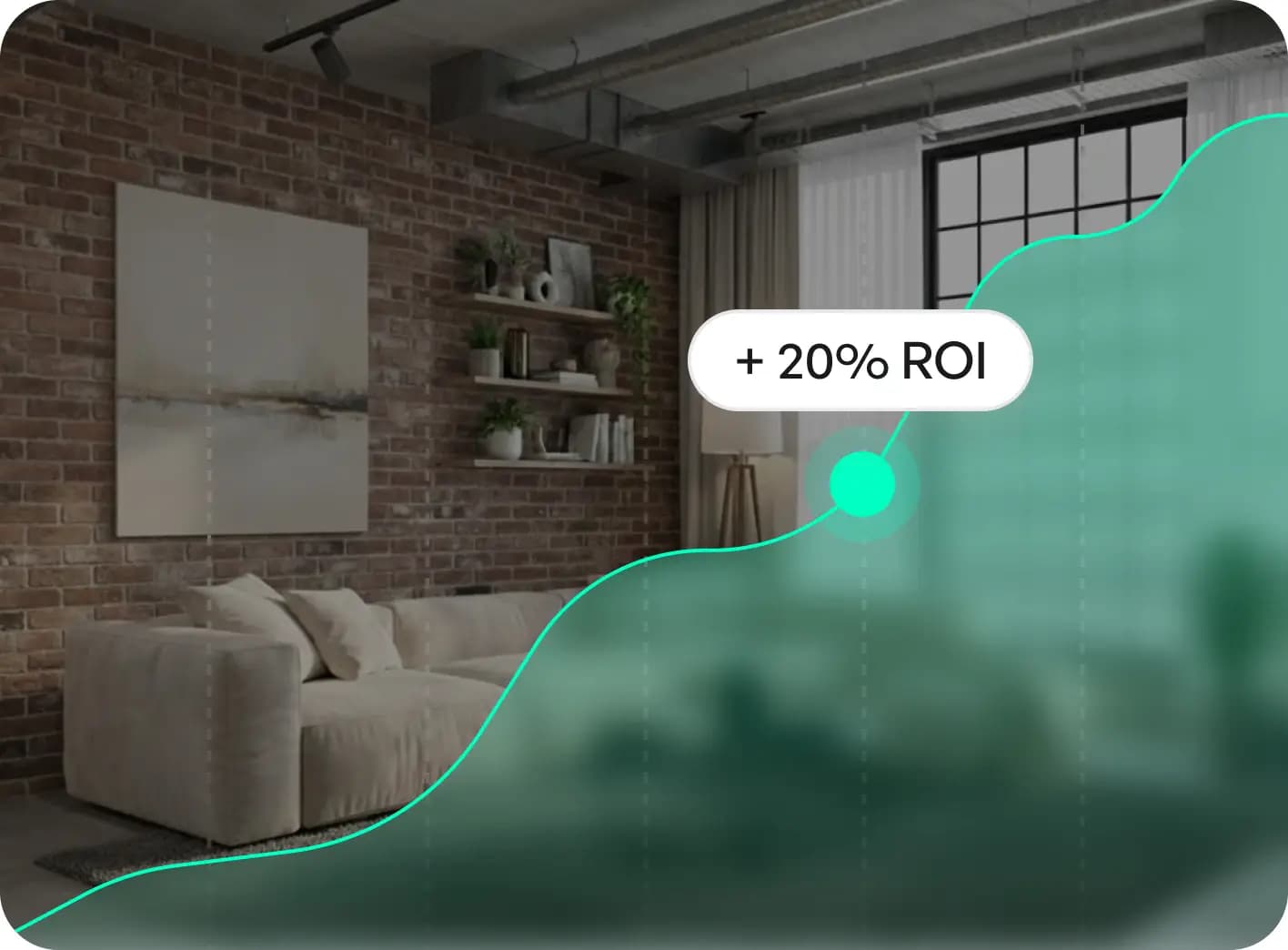
Performance & Insights 

Track real-time performance of your products. Get detailed analytics on views, clicks and sales to understand customer preferences and maximize ROI.
Partner slide image

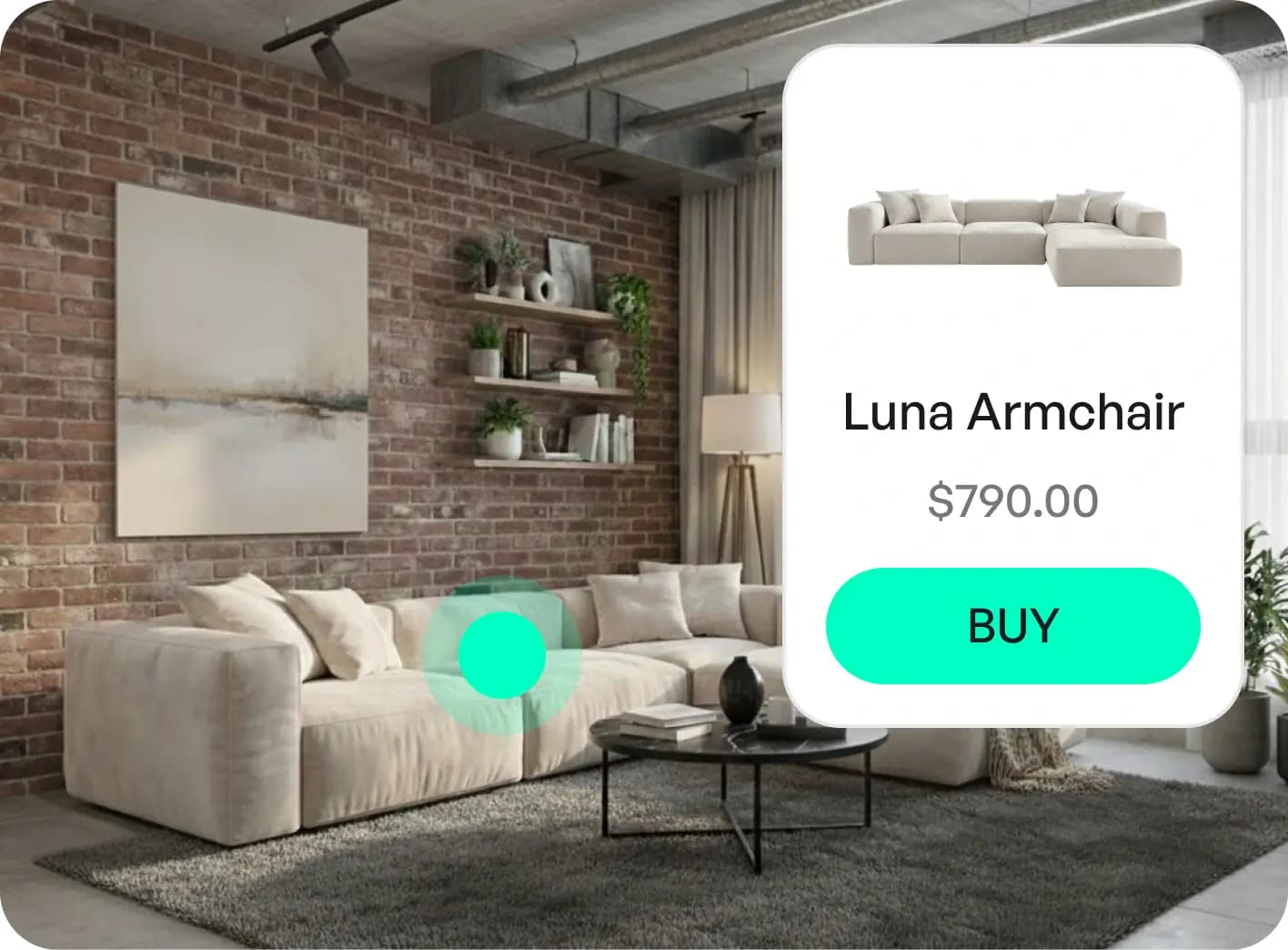
Click-to-Purchase 

Drive traffic directly to your product pages. Every item in the generated image has a direct link to your store for seamless checkout.

Get 50% off to try the tool 

Don't wait to dream up the exterior of your perfect home. Try Paintit.ai's AI Home Exterior Design.

Your Designs. Your Data. Fully Protected. 

Paintit.ai uses encrypted storage, secure cloud infrastructure and trusted global providers to keep your photos and interior projects private and safe. From upload to final render — your data stays yours.

Protection image 0

Member ID 000108

AI Ethics and Integrity International Association

Protection image 1

Secure Payments

Powered by payment system Stripe

Protection image 2

GDPR Compliance

General Data Protection Regulation

Protection image 3

Comodo

Positive Wildcard
SSL

Your Questions Answered 

Why is Paintit considered the best AI for interior design?

Paintit stands out from run-of-the-mill image generators that merely apply a style filter. Paintit.ai is the best AI interior design tool for you, it knows how the structural integrity of your whole interior is. We are more than a graphic designer of furniture visualizations — we deliver tangible products you can purchase and editing tools that allow you to use them in depth, providing the ideal combination of creativity and practical renovation planning.

Is there a completely free version available?

Yes. You are free at the top to begin with 30 credits you can easily start Free. This lets you create designs, use our AI chat guidance and receive real furniture recommendations without having to enter credit card details. And it’s the best testing ground for our free AI interior design quality before we upgrade.

How is Paintit.ai different from tools like RoomGPT?

Many tools only overlay a style on your picture; Paintit offers an integrated workflow: from a free AI room design project to professional 4K exported samples. We couple structural accuracy (keeping windows and walls well-positioned) with a special feature that works at an experiential level: providing real furniture you can make (and purchase), not just creating imaginary products.

How much does a subscription cost?

We offer flexible, affordable options. Our Weekly Plan is just $5.99 (300 credits) — perfect for quick home renovations. For professionals, the Monthly Plan is $20.99 (1500 credits), which unlocks 4K resolution exports and a commercial usage license.

Can I use the designs for commercial purposes (Real Estate/Staging)?

Yes, but you will need the Monthly Plan. It includes a full Commercial Usage License and high-resolution 4K exports, making it the standard choice for realtors and interior design professionals who need watermark-free, high-quality results for client presentations.

How does the "Real Furniture" feature work?

Available even on the Free plan, this feature sets us apart. Our AI room decorator identifies items in your design and suggests purchasable matches from trusted retailers. This bridges the gap between a dream picture and a real room, saving you hours of searching.

Can I modify just one part of the room?

Yes. With our targeted editing tools, you can keep your favorite existing furniture and change only the wall color or flooring. This precision allows you to perfect your home design without being forced to regenerate the entire image.

Do I need design skills to use Paintit?

No. We built Paintit to be intuitive. Whether you are using the Free plan or the Pro tools, you simply upload a photo and chat with the AI. It handles the lighting, perspective, and style rendering for you, delivering professional results in seconds.

Is my data and photo gallery private?

On our paid plans (Weekly & Monthly), we offer a dedicated Private Mode, ensuring your uploads and generated designs are not visible to the public gallery. This is essential for user privacy and client confidentiality.

Can I cancel my subscription?

Absolutely. You can cancel your subscription at any time directly from your personal dashboard with one click. We also offer a transparent money-back guarantee (3 days for Weekly, 7 days for Monthly) to ensure your experience is risk-free.

What image formats can I upload?

We support standard formats like JPG, PNG, WebP, and HEIC. You can upload a high-quality photo from your phone, a professional floor plan, or even a rough hand-drawn sketch, and our AI interior design engine will transform it into a photorealistic space.

Is the payment process secure?

Our system keeps payment data safe through 256-bit SSL encryption plus tokenization methods that match industry requirements.

Can I cancel my subscription anytime?

You can stop or pause your Paintit.ai subscription directly from your account dashboard at any time you want. You can request a refund through our system within 30 days of making your payment.

Can AI replace professional interior designers?

Our main purpose is to assist designers in their work rather than replace them. Our AI interior designer platform lets people see how their home design ideas will look. Users join designers during room planning's last stages by leveraging AI tools while keeping design choices unique.

What room styles are available?

Paintit.ai shows you how multiple room setups work across the bedroom, kitchen, office and bathroom spaces. View our room style options, which include modern, industrial and vintage choices, to discover your preferred design.

Can I upload my existing room photos?

Using Paintit.ai transforms your imagination of ideal spaces into realistic visual representations. Show the tool your existing room images or create new space layouts and dimensions from scratch.

How much does it cost compared to traditional interior design?

Paintit.ai's AI tools generate several room visuals in just minutes instead of making you spend days searching catalogs or hiring experts. You can produce top-quality interior designs at lower expense and less work through AI design technology, saving thousands in professional design fees.

What is Virtual Staging AI?

Our AI interior design generator allows you to instantly turn empty rooms into fully furnished spaces. This feature is a way of making real estate listings more engaging and realistic visualizations of residential or commercial properties.

Can I keep my existing furniture in the redesign?

With an interior designer, Paintit.ai seamlessly integrates your existing furnishings into new room designs if you already have furnishings you love. You can remove stuff that you don't want to get in the way of the way you envision your space using AI for interior design.

What is the Sketch to Render feature?

Paintit.ai can take your rough sketch or basic dimensions and turn them into well-polished 3D renderings with just a simple sketch. Its room design capabilities make visualization available, from detailed plans to no input at all.

Can I experiment with different materials and finishes?

You can experiment with many layout setups and combine furniture and decoration items. With furniture placement, you can create your design using many different materials, such as floor tiles, wallpapers, acoustic panels, and paint colors.

How does Paintit.ai help with small spaces?

Paintit.ai creates beautiful interior designs for spaces using AI technology regardless of space size or shape. The system's smart algorithms produce new ways to make the most of space while making rooms seem bigger and adding style to small areas.

Can I add the AI designer widget to my website?

Your website visitors can now use Paintit.ai's ai interior designer widget to customize their space because the widget allows direct personalization of design choices. Customers have a more engaging and positive shopping experience when they can interact with customized images.

How does the AI analyze my room?

Paintit.ai analyzes room details, such as lighting, dimensions, existing decor and personal style, to create design solutions that match your space needs. This system allows users to blend professional interior design services with their design preferences.

Can I view designs from different angles?

Paintit.ai's room design generator shows you ready-to-use 3D room visuals that show space dimensions, lighting effects, and practical use. With this feature, you can check space dimensions from different viewing points.

Is there a free version available?

Paintit.ai provides AI interior design free tools that allow you to experiment with many layout setups and combine furniture and decoration items. Our platform includes basic free AI interior design tools and advanced features for major home transformations.

How does Paintit.ai combine form and function?

Paintit.ai creates visual room designs with advanced practical benefits. By watching how you use your space, the AI system enhances the practical functions of your home while creating unique designs that feature your favorite style with useful, practical elements.

Can I test multiple design options before committing?

Our AI for interior design system lets you test multiple design options with no need to keep what you don't want. You can test multiple design options without commitment to finding the right solution before you spend money on physical spaces and items.

What makes Paintit.ai different from other AI design tools?

Paintit.ai stands above other AI interior design generator solutions because of its powerful features, including data-backed guidance, photorealistic visualizations, and the ability to transform ideas into reality quickly with advanced AI technology.

Can I use Paintit.ai without any design experience?

Paintit.ai makes AI interior design easy by helping you design your perfect home without effort. This advanced home design tool shows you successful outcomes without requiring professional design knowledge or experience.

How interactive is the design experience?

Paintit.ai provides an interactive and engaging online experience where users can make room design changes right away rather than viewing fixed pictures. This dynamic design experience improves customer satisfaction and drives better results.

Can I see furniture in my actual room?

The AI interior design generator creates realistic images of rooms, including their furniture, allowing you to see exactly how different pieces will look in your specific space with accurate dimensions and lighting.

What kind of 3D visualizations does Paintit.ai create?

Paintit.ai creates entire 3D room scenes with furniture instead of leaving you to visualize bare spaces or flat plans. The system shows exact spatial measurements and lighting performance from every direction.

How quickly can I see results?

In minutes, the AI tools for interior design generate complete 3D furnished visualizations of rooms tailored to your unique taste, compared to days of searching through catalogs with traditional methods.

Can Paintit.ai help with specific room types?

See complete interior transformations of every type of room and style, including modern minimalist living rooms, industrial chic kitchens, bedrooms, offices, and bathrooms with AI-powered design solutions.

How does the AI understand my personal style?

Paintit.ai learns about your style preferences and analyzes your feedback to give you customized space solutions that work best in your environment, creating designs that match your unique taste.

What if I want to change just one part of my room?

Paintit.ai can focus on specific projects such as kitchen remodels, bath renovations, flooring, walls, lighting, and AI furniture placement, not just full-room transformations.

How does Paintit.ai handle lighting in designs?

The AI system analyzes lighting as part of room details to create realistic visualizations that show how your space will look with different lighting conditions and effects from various angles.

Can businesses use Paintit.ai for their spaces?

Our system serves everyone who needs AI home design tools regardless of their project environment, successfully designing professional buildings, offices, retail stores, restaurants and other business locations.

How much money can I save using Paintit.ai?

This convenient solution saves homeowners hours of work and thousands in professional design fees by generating complete designs in minutes instead of requiring expensive professional consultations.